
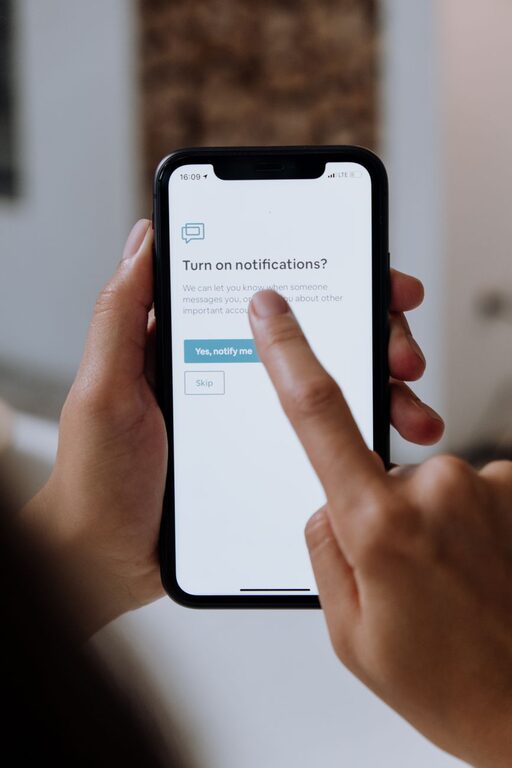
Practical Tips for Setting Boundaries with Notifications
In today’s digital world, notifications are constant companions, from emails and social media updates to app alerts and messages. While these notifications can be helpful, they often become overwhelming, disrupting our focus and increasing stress levels. Setting boundaries with notifications is essential for maintaining productivity, mental clarity, and work-life balance.
This guide offers practical tips for managing notifications effectively, helping you take control of your attention and create a more balanced digital experience.
Why Set Boundaries with Notifications?
Notifications are designed to grab your attention. However, the frequent interruptions can fragment your focus, making it harder to complete tasks and enjoy downtime. Setting boundaries helps by:
– Reducing distractions and increasing focus
– Preventing burnout and digital fatigue
– Protecting personal time and enhancing well-being
– Allowing you to prioritize important information
Assess Your Current Notification Habits
Before making changes, spend a day or two observing your notification patterns. Ask yourself:
– Which apps send the most notifications?
– How often do you check your phone because of notifications?
– Are there alerts that you never respond to or find unhelpful?
Identifying these patterns helps you decide what notifications to keep, mute, or customize.
Tips for Setting Boundaries with Notifications
1. Customize Notifications by Priority
Most devices and apps allow you to customize notification settings. Use this feature to prioritize alerts:
– Turn off non-essential notifications like promotional emails or social media likes.
– Enable alerts only for critical messages or apps related to work, family, or urgent matters.
– Use “Do Not Disturb” mode during focused work hours or personal time.
2. Schedule Specific Times to Check Notifications
Instead of responding to every alert immediately, set designated times to review notifications:
– Check emails and messages a few times a day rather than constantly.
– Turn off push notifications outside those times to avoid interruptions.
– Create a routine that includes short breaks to catch up on notifications.
3. Use Focus or Quiet Modes on Devices
Modern smartphones and computers offer built-in focus modes that limit notifications to specific people or apps:
– Activate focus mode during work or study sessions.
– Allow notifications from family or emergency contacts only.
– Experiment with settings to find a balance that works for you.
4. Unsubscribe and Declutter
Regularly review your subscriptions and app notifications:
– Unsubscribe from newsletters or services you no longer find useful.
– Delete or disable apps that send excessive or irrelevant notifications.
– Keep only essential communication channels active.
5. Create Physical Boundaries
Sometimes managing notifications isn’t just about software settings—physical habits matter too:
– Keep your phone or device out of sight when working to minimize temptation.
– Use a separate device for work and personal use if possible.
– Avoid checking your phone first thing in the morning or right before bed.
6. Communicate Your Boundaries
Let colleagues, friends, and family know about your notification preferences:
– Inform people when you prefer not to be disturbed to encourage respect for your boundaries.
– Use status messages or auto-replies to set expectations about response times.
– Encourage others to use appropriate communication channels for urgent matters.
Tools and Apps to Help Manage Notifications
Several tools can assist you in controlling notifications:
– Notification management apps: These apps help you filter and prioritize alerts.
– Email clients with filtering: Use rules to direct certain emails to folders or mark as low priority.
– Focus apps: Apps like Forest or Focus@Will combine focus timers with notification blocking.
Experiment with different tools to identify what complements your habits best.
Benefits of Controlling Notifications
Taking control of your notifications offers many benefits, including:
– Enhanced concentration and efficiency in work or study
– More quality time with family and friends without digital interruptions
– Lower stress and improved mental health
– Better sleep quality by avoiding late-night screen time
Final Thoughts
Setting boundaries with notifications takes some initial effort but pays off significantly in productivity and well-being. By customizing alerts, scheduling check-ins, creating physical and digital boundaries, and communicating your needs clearly, you can reclaim your focus and enjoy a healthier relationship with technology.
Start small by adjusting a few notification settings today and observe how your daily experience improves. Remember, the goal is to make technology serve you—not the other way around.
